 Free
DJDJ Max Carter
London and nationwide
For event professionals
Requests, contracts, invoices and your cash book in one app. Clients sign the contract with a finger on their own phone, and you see what you really earn.Requests, contracts, invoices and cash book in one app.
Free for now. No card needed, and your account is ready in a minute.
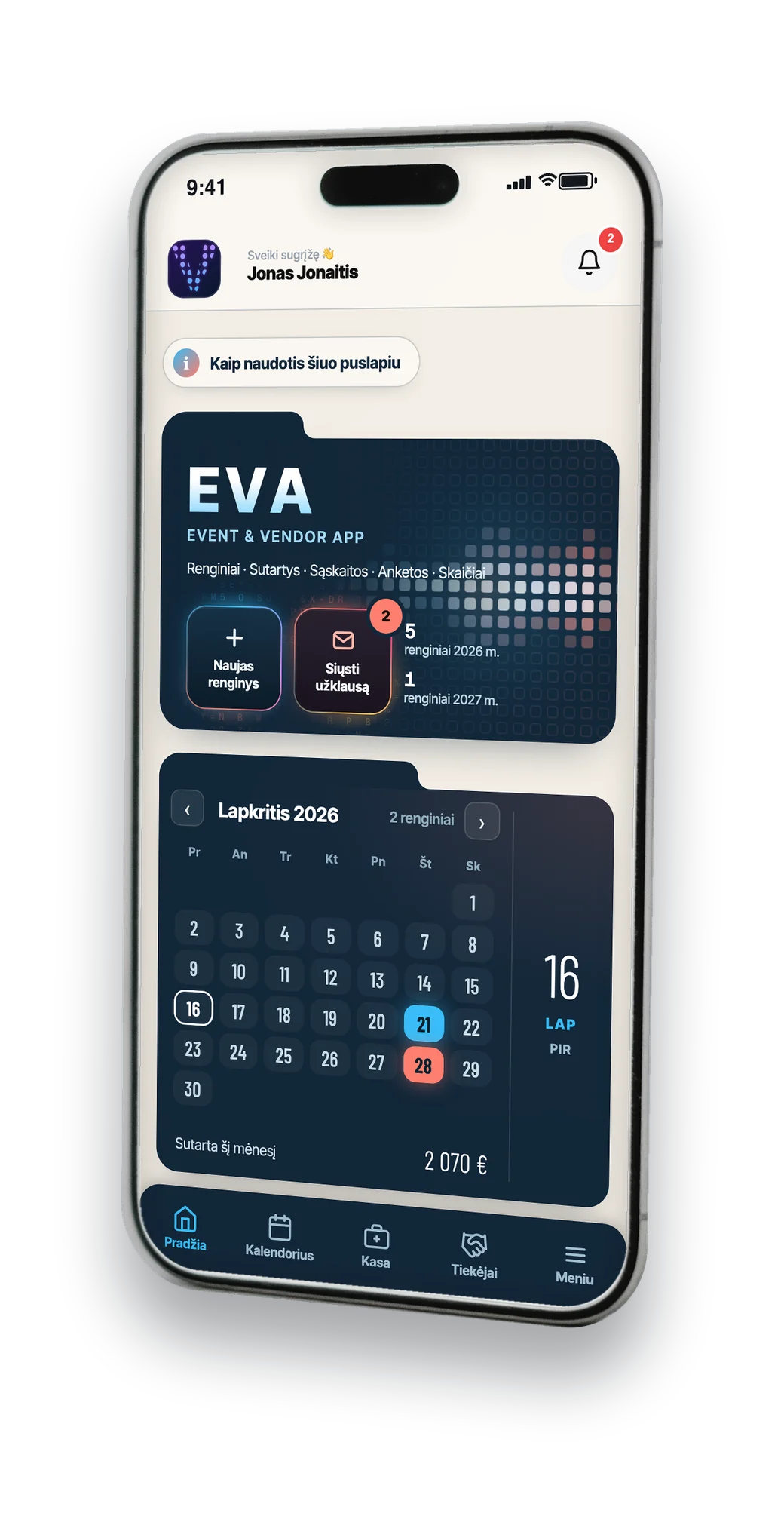
Open the calendar and see which dates are booked, what’s been agreed and what’s still due. A client calls? Send them a short request form, and the event card fills itself in from their answer.
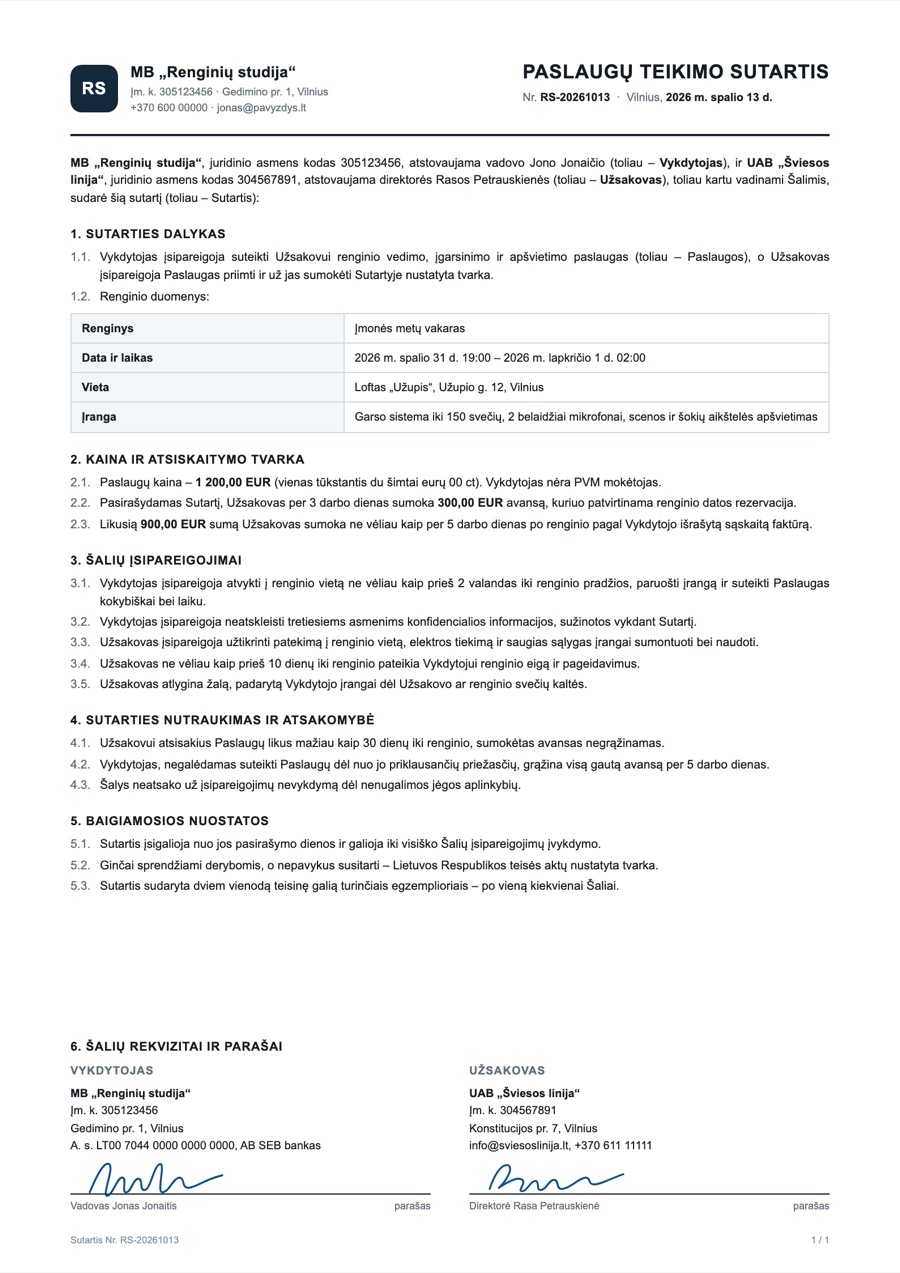
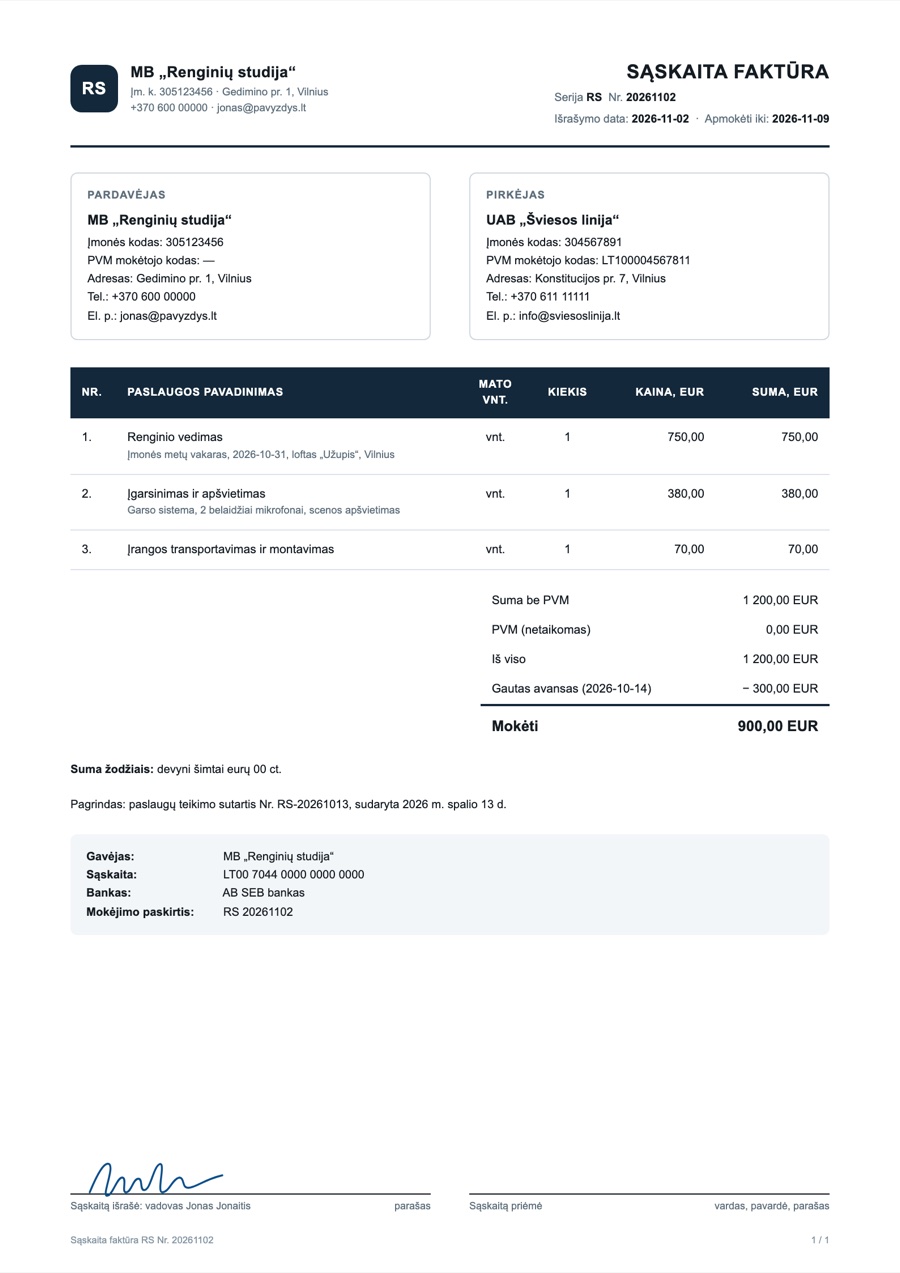
The contract and invoice fill themselves in from the event details and your business details. Send a link, and the client reads and signs wherever they are. You and the client both get the signed PDF, and EVA lets you know right away.
The picture shows sample documents (in Lithuanian). Yours will carry your own logo, business details and contract text.
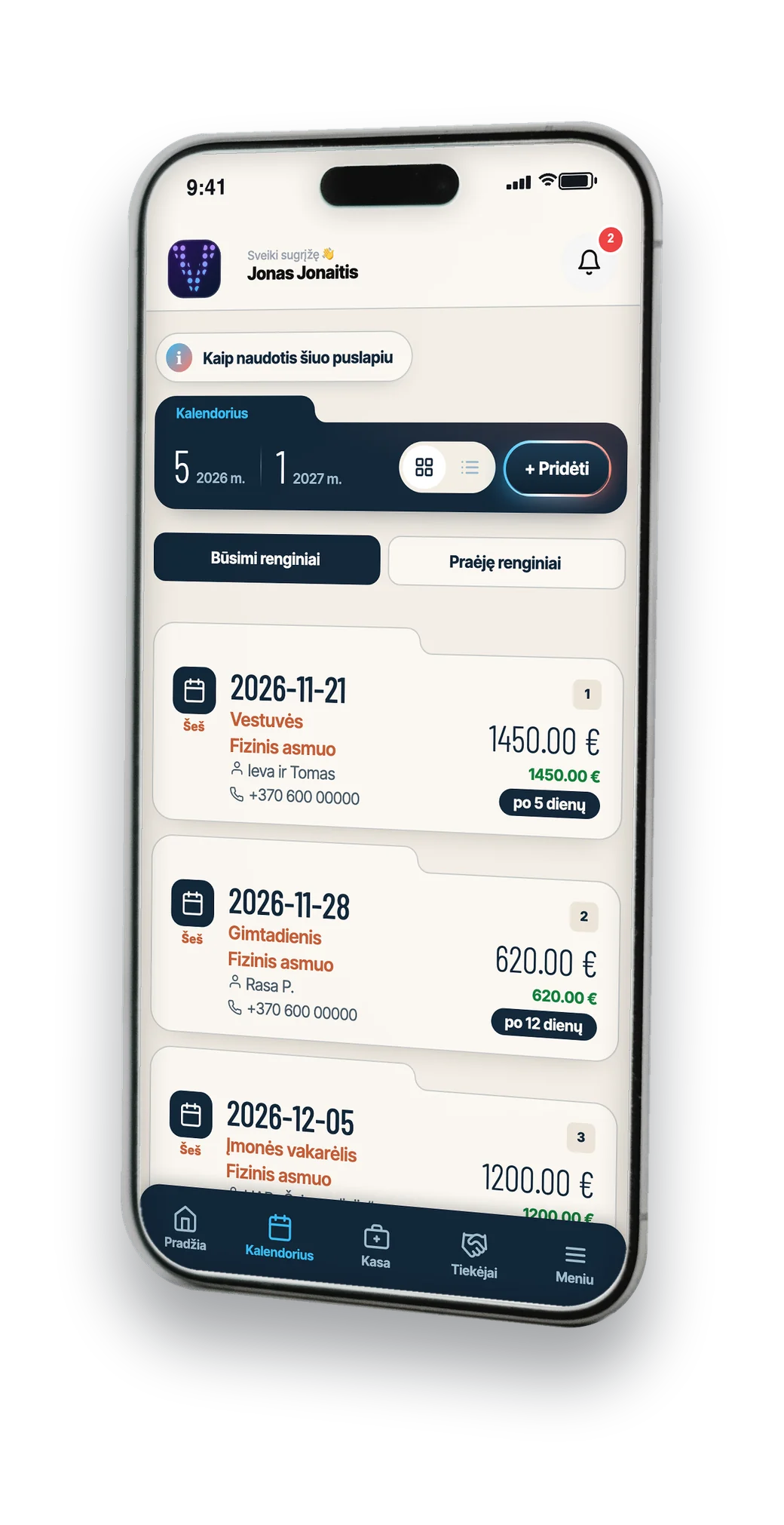
The contract, invoice and deposit are all on the same card.
The client fills it in on their phone, and the answers come straight back to the event.
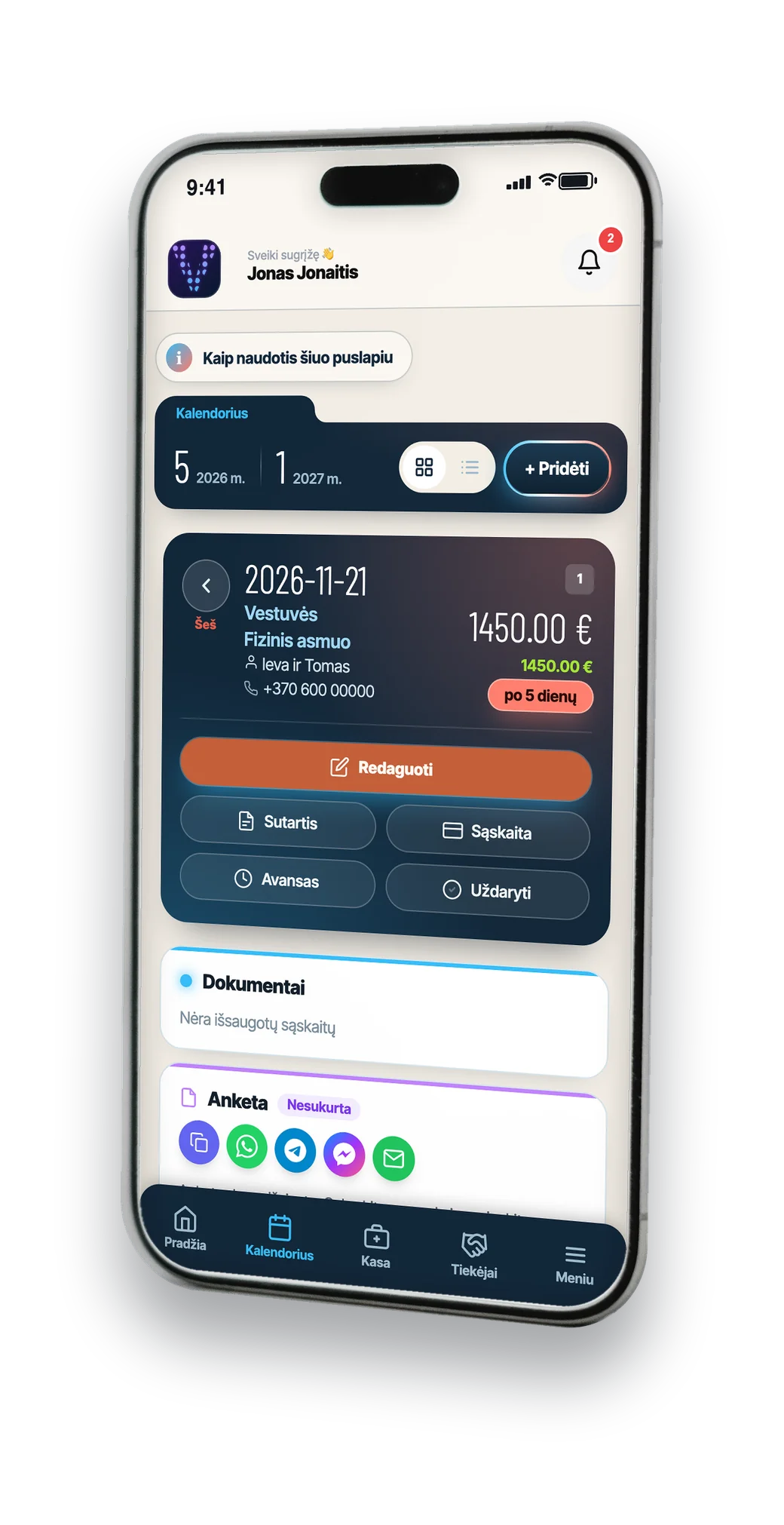
Open an event and you’ll find its documents, the client’s questionnaire, files and your packing list. No more digging through messages and notes.
A list with quantities and a “ready” tick. Item names are remembered for next time.
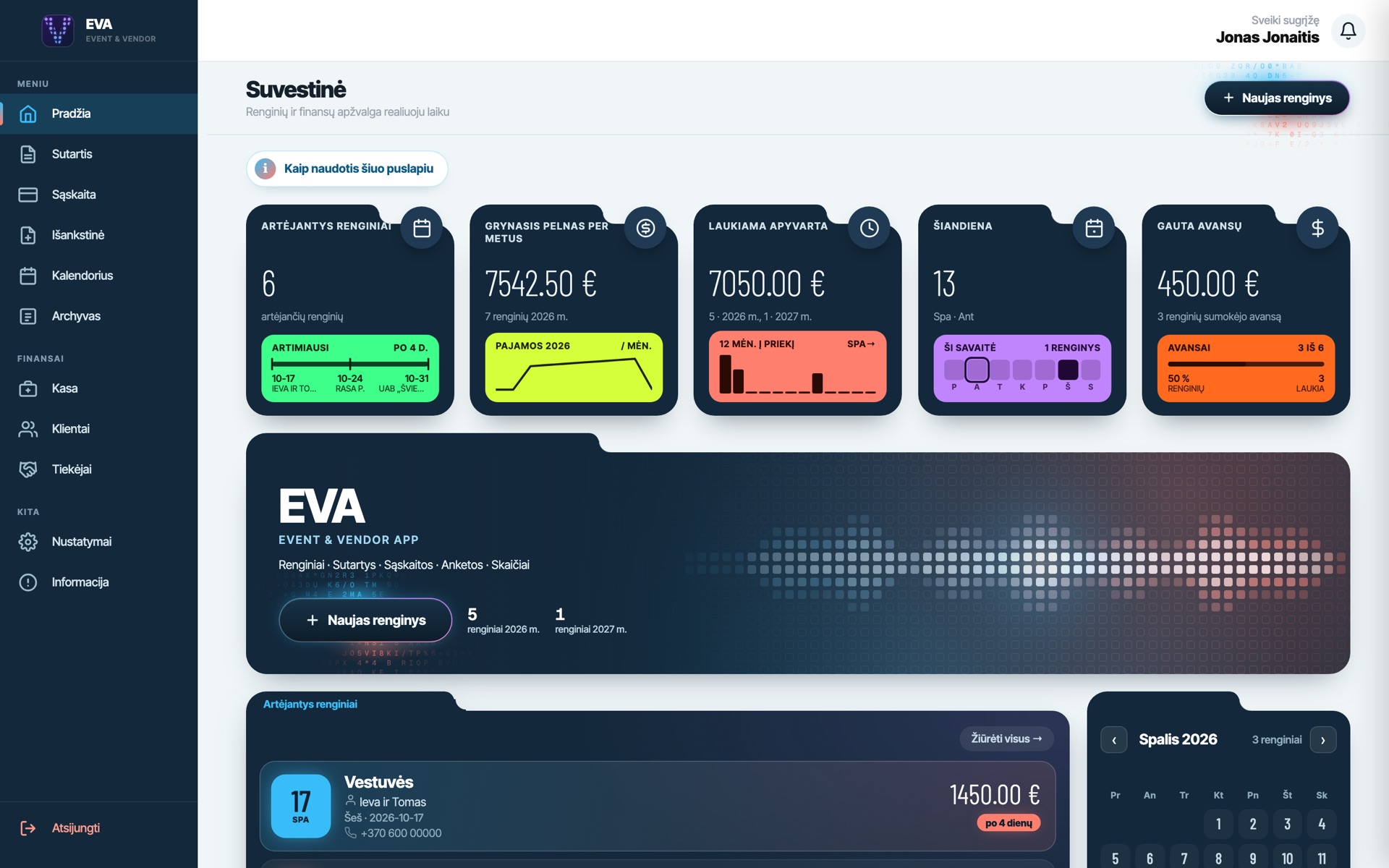
Income, expenses and profit for each event separately.
Income, expenses and net profit are worked out automatically. You see what’s been paid, what’s still due and where the money goes.
A client needs a photographer or a venue? Pick the date and see which colleagues are free that day. And others find you in the directory.
FreeLondon and nationwide
 Free
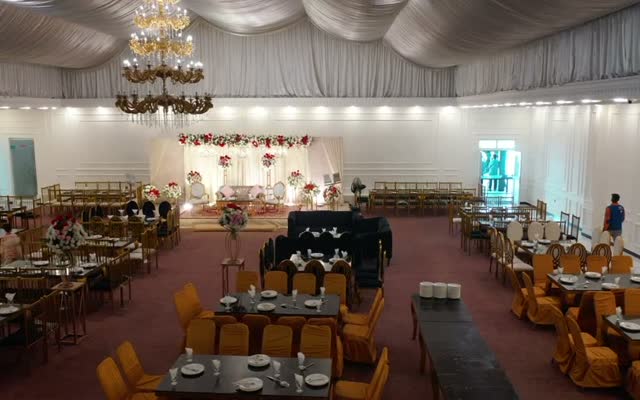
Oxfordshire, up to 200 guests
 Free
Manchester
 Free
London
 Free
Brighton
 Free
London
EVA opens in your browser, so there’s nothing to install. On a phone you add it to the home screen and use it like an app.
Name, email and password. Takes about a minute.
Enter your business details, bank account, logo and signature once. They’ll appear on every contract and invoice.
Date, client and price. From there you can already issue a contract and an invoice.
Yes, for now, with every feature included. A subscription fee may come later. We’ll say it upfront: it will be small.
This website is in English, but the app itself, its documents and emails are currently in Lithuanian. Contracts and invoices follow Lithuanian rules (VAT invoices, local tax settings). An English interface is being prepared — write to info@eva-app.lt if you’d like to hear when it’s ready.
Yes. Each user sees only their own data. Contracts and signatures, invoices, your logo, receipt photos, attached files, inquiry answers and chat messages are stored encrypted on the server. The connection to EVA is always encrypted, passwords are stored only as hashes, and signing in asks for a code from your phone. We make an encrypted backup every day. Our servers are in Lithuania, and we never sell your data or use it for ads. In the vendor directory others see only what you allow.
No. EVA works in the browser on your phone and computer. On a phone you can put it on your home screen and open it like an app. iPhone: in Safari tap “Share” → “Add to Home Screen”. Android: in Chrome tap the menu ⋮ → “Install app”. More.
Everyone who works at events: DJs, hosts, photographers, videographers, musicians, decorators, sound and lighting crews, and venues.
From the settings. You enter them once and they’re used automatically in contracts, invoices and emails to clients.
Enter your next booking and see how the contract, invoice and cash book look with your own data.